
Tags Generator For Youtube
Generate comma-separated YouTube tags from a topic in seconds, with 10, 20, or 30 tags and multi-language support.
About
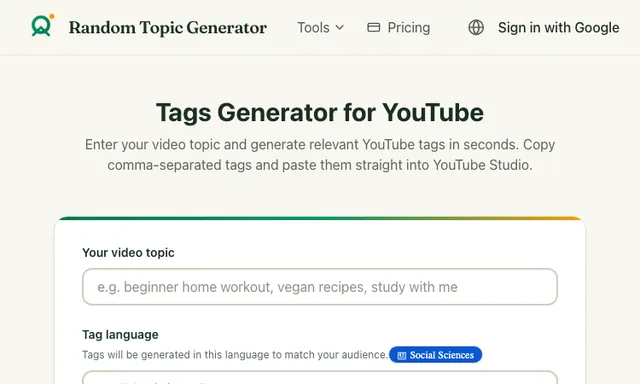
Tags Generator For Youtube is a YouTube tags generator that turns a video topic into comma-separated tag ideas in seconds. Enter a subject like a tutorial, vlog, or recipe, choose how many tags you want, pick a language, and copy the results into YouTube Studio. It is built for fast metadata drafting, especially when you want a quick set of relevant search tags without writing them by hand.
What is Tags Generator For Youtube
Tags Generator For Youtube is a web-based YouTube tags generator that helps you turn a single video topic into a ready-to-copy list of comma-separated tags. The tool is designed for quick tag drafting before you publish, so you can move from an idea to upload metadata with fewer manual steps. It is offered through Random Topic Generator’s tools site and is presented as a free tag generator for YouTube.
This kind of creator tool sits in the broader video SEO workflow. Instead of brainstorming keyword phrases one by one, you give the app a topic and it returns a tag list that you can paste into the Tags field in YouTube Studio. The page also shows that the generated tags can be matched to your audience’s language, which makes it useful for multilingual channels and region-specific uploads.
Key features
- Topic-based generation: Enter the subject of your video, such as a workout, recipe, or study session, and the app generates tags around that theme.
- 10, 20, or 30 tags: You can choose how many tags to produce, which is useful when you want a short set or a fuller keyword list.
- Language selection: The tool supports multiple tag languages, including English, 中文, Français, Bahasa Indonesia, العربية, Türkçe, ไทย, हिन्दी, Español, 日本語, 한국어, and Deutsch.
- Comma-separated output: Results are formatted so they can be copied and pasted directly into YouTube Studio.
- Fast workflow: The site says tags are generated in seconds, which makes it practical for repetitive publishing tasks.
- Example-driven interface: The page includes sample use cases like “beginner home workout,” “vegan recipes,” and “study with me,” which help show the kind of keyword patterns it aims to produce.
- Useful for multiple roles: The site explicitly mentions YouTubers, small channels, marketers, and agencies as likely users.
How to use it
- Enter your topic. Type the subject of your video in the input field. The site gives “beginner home workout” as an example, but any clear video theme should work.
- Choose a tag count. Select 10, 20, or 30 tags depending on how many ideas you want for the upload.
- Pick a language. Select the language that matches your audience so the generated keywords fit the market you are targeting.
- Generate tags. Click the generate button and wait for the tool to produce a list of relevant YouTube tags.
- Copy into YouTube Studio. Paste the comma-separated results into the Tags field when you upload or edit your video.
If you are using it as part of a repeatable publishing process, the fastest workflow is to keep a topic template ready for each content pillar, then generate a fresh set of tags for every upload.
Who it is for
- YouTubers and solo creators who want a quicker way to fill in video tags.
- Small channels that need long-tail keyword ideas for niche topics.
- Marketers and agencies that manage many videos across different clients and categories.
- Multilingual creators who publish in more than one language or target audience.
The app is especially relevant if you post tutorial videos, explainers, lifestyle content, or niche how-to content where specific keyword phrases can help organize metadata. It is also a fit for creators who want a simple browser tool rather than a full SEO suite.
What to know before you use it
- It generates tags, not full SEO research. The tool provides tag lists based on your topic, but it does not show search volume, competition, trend data, or ranking difficulty.
- Results are only as specific as your input. A vague topic will likely produce broader tags, while a precise topic should lead to more targeted keyword phrases.
- It does not replace YouTube analytics. If you need performance data, audience retention insights, or traffic sources, use YouTube Studio and other official analytics tools instead.
- Tag suggestions are not guaranteed to improve reach. YouTube discovery depends on many factors beyond tags, including title quality, thumbnail, watch time, and viewer satisfaction.
- Language support is broad, but not fully documented. The site lists multiple languages for generation, yet it does not explain how translation or localization is handled behind the scenes.
- Pricing details are limited on the tool page. The source material says the generator is free, while the site navigation includes a Pricing link; if you need current plan details, check the official site directly.
Used well, this YouTube tags generator can speed up metadata prep for uploads, but it should be treated as a drafting aid rather than a substitute for your own keyword judgment and channel analytics. For the most accurate publishing decisions, pair it with your own topic knowledge and YouTube Studio data when possible.
FAQ
Is Tags Generator For Youtube free to use?
Yes, the source describes it as a free tags generator. The page also includes a Pricing link, so check the official site if you want the latest plan details.
What platform does it run on?
It runs on the web. The tool is available through the Random Topic Generator site and works in a browser without any listed mobile app or extension.
How do I use it to create tags for a video?
Enter your video topic, choose 10, 20, or 30 tags, select a language, then generate and copy the comma-separated results into YouTube Studio.
Who benefits most from this tool?
YouTubers, small channels, marketers, and agencies are the clearest fit. It is most useful when you need quick keyword ideas for uploads across one or many niches.
Does it give SEO metrics like search volume?
No, it does not show keyword metrics. It generates tag suggestions only, so you should use YouTube Studio and other analytics tools for performance data.