Mirador Eclipse
Mobile eclipse viewer that shows the 2026 solar eclipse from your exact location through your phone camera.
About
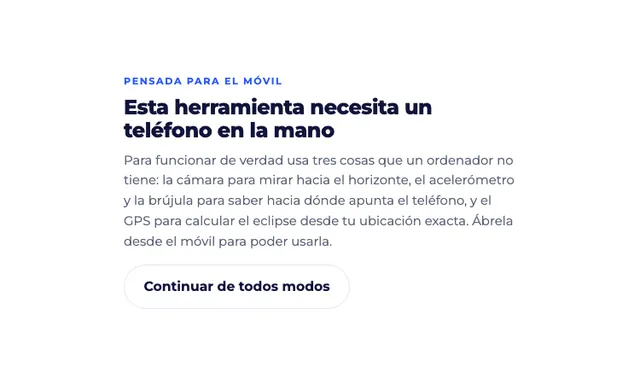
Mirador Eclipse is a solar eclipse viewer that shows how the 2026 eclipse will appear from your exact location. It is built for phones, because it needs the camera, accelerometer, compass, and GPS working together to draw the eclipse over your live camera view. The app is designed so you can look at the screen instead of looking directly at the Sun, which helps you avoid unsafe viewing. It also explains when eclipse glasses are still required and when the only safe naked-eye moment is totality, if you are inside the blue zone on the map.
What is Mirador Eclipse
Mirador Eclipse is a mobile eclipse viewer for checking how the 2026 solar eclipse will look from your current position. The app is aimed at phone users, not desktop users, because it depends on hardware sensors that a typical computer does not have. It combines live camera input with location and orientation data to estimate what part of the eclipse should be visible where you are.
This eclipse viewer is useful when you want a quick, location-aware preview without doing manual calculations. It can tell you whether your spot should see a total or partial eclipse and what time the event is expected to happen. The core idea is simple: point your phone, calibrate the camera, and let the tool overlay eclipse information on the camera feed.
Key features
Mirador Eclipse focuses on practical, phone-based eclipse viewing rather than broad astronomy education. The main features shown on the site include:
- GPS-based location detection so the app can calculate the eclipse from your exact position.
- Camera support for pointing the phone toward the horizon and viewing the overlay directly on screen.
- Accelerometer and compass input so the app knows which direction the phone is facing.
- A calibration step that asks you to move the phone slowly so it can estimate the camera’s real field of view.
- On-screen eclipse guidance that helps you see how the Sun will appear without looking up at it.
- A safety warning that emphasizes eclipse glasses, solar filters, and the special rules for totality.
As a solar eclipse viewer, it is more about real-world visibility than static educational content. The app also references trusted astronomy sources, including the American Astronomical Society and IGN, which supports the safety guidance shown in the interface.
How to use it
Using this solar eclipse viewer is meant to be straightforward, but it works best on a mobile device with sensors enabled.
- Open Mirador Eclipse on your phone.
- Allow the browser to use your location and camera.
- Let the app read your GPS position so it can determine the eclipse timing for where you are.
- Follow the calibration prompt and move the phone slowly when asked.
- Keep the phone pointed toward the sky or horizon as instructed so the overlay can line up with what the camera sees.
- Check whether the app indicates a total eclipse or a partial eclipse at your location.
- If you are outside the totality zone, use certified eclipse glasses or a proper solar filter for any direct viewing.
The calibration matters because the app estimates the camera’s field of view by comparing how far the image shifts with how many degrees you rotate the phone. That step helps the eclipse viewer align the overlay more accurately.
Who it is for
Mirador Eclipse is a good fit for people who want a phone-based solar eclipse viewer before or during the 2026 event. It is especially useful for:
- Casual eclipse watchers who want a simple preview of what they will see.
- Travelers who need to check whether their location is in the path of totality.
- Educators or presenters who want a quick live demonstration on a phone.
- Astronomy fans who prefer a visual overlay instead of reading charts.
- Anyone who wants a safer screen-based way to understand eclipse timing and direction.
This eclipse viewer is less suitable for desktop-first use, because the site says it needs a phone in hand. It also is not a replacement for official eclipse maps or certified solar viewing gear.
What to know before you use it
Mirador Eclipse includes important safety and technical limits that you should read before relying on it. The app warns that looking at the Sun directly can damage the retina without pain or immediate warning, and that normal sunglasses, smoked glass, and homemade filters do not count as safe protection. It also notes that eclipse glasses must meet ISO 12312-2, and that telescope or binocular viewing needs a proper solar filter.
A few caveats matter:
- The app is built for mobile hardware, so desktop use may not give the intended result.
- GPS and compass accuracy can vary, so the eclipse overlay is a guide, not an official observation instrument.
- If you are not in the totality zone, you should still use certified eye protection for direct viewing.
- The only naked-eye exception is the short totality window, and only if you are inside the blue map zone.
- Pointing a phone camera at the Sun for long periods without a filter can damage the sensor.
- For the most authoritative timing and safety guidance, use official astronomy references alongside the app.
In practice, Mirador Eclipse is best used as a handheld eclipse viewer for planning and orientation, not as a substitute for safety rules or official eclipse information. If you want a mobile eclipse viewer that helps you understand what the 2026 eclipse will look like from your spot, this app gives you a focused, sensor-based preview without asking you to look at the Sun itself.
FAQ
What does Mirador Eclipse Netlify do?
It shows how the 2026 solar eclipse should appear from your location. The app uses your phone’s sensors and camera to overlay the eclipse on the live sky view.
Is Mirador Eclipse free to use?
The pricing is unknown from the site content. No subscription, fee, or paid tier is mentioned in the material provided.
Is Mirador Eclipse Netlify meant for desktop or mobile?
It is meant for mobile phones. The app says it needs the camera, accelerometer, compass, and GPS from a phone to work properly.
Does Mirador Eclipse work on desktop?
It is designed for mobile phones. The app says it needs a camera, accelerometer, compass, and GPS, which makes phone use the intended experience.
Do I need to look at the Sun through the app?
No, you should not look at the Sun directly through the app or without protection. The app emphasizes that safe viewing requires certified eclipse glasses, except during totality inside the eclipse path.
What does the app need from my phone?
It needs camera, GPS, accelerometer, and compass access. Those sensors let it calculate your location and align the eclipse overlay with your view.
How does the app know where the eclipse will be visible?
It uses your phone’s GPS to estimate your position and calculate whether the eclipse will be total or partial there. It also uses calibration so the on-screen overlay matches your camera view.
How do I get the best result from the eclipse viewer?
Open it on a phone, allow the requested permissions, and complete the slow camera calibration step. That gives the app the data it uses to draw the overlay more accurately.
Is pricing listed for this app?
Pricing is unknown from the available source material. The site text does not mention a paid plan, subscription, or purchase flow.
Can I look at the Sun through the app instead of using glasses?
No, direct solar viewing is still unsafe except during totality inside the blue zone. The app is meant to keep you focused on the screen, not on the Sun.