
ImageGenerator
Free AI image generation for prompts and reference-based visuals
About
ImageGenerator is an AI image generator that turns text prompts and reference images into professional-looking visuals. It is built for creators, designers, marketers, and content teams that need fast concept images for campaigns, social posts, product ideas, and editorial content. The app is positioned as a free online tool, and its own examples emphasize practical output for brand-focused and creative workflows rather than casual experimentation alone.
What is ImageGenerator
ImageGenerator is an AI image generator for creating visuals from text prompts and reference images. The site presents it as a free online tool for people who want to turn ideas into finished-looking images without starting from a blank canvas.
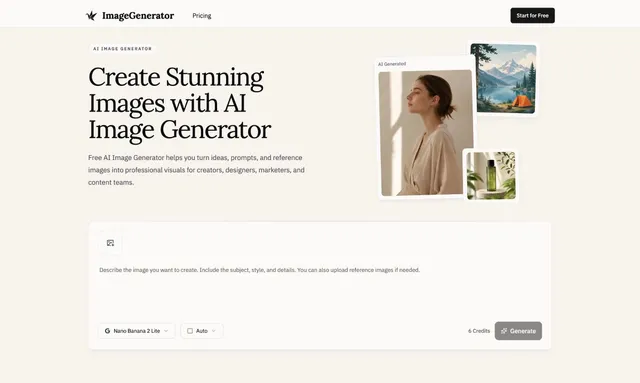
It is aimed at use cases such as marketing assets, social media visuals, product concept exploration, and blog or editorial illustrations. The app also highlights a paid credit example on its pricing area, where a generation call is shown with "6 Credits" for "Nano Banana 2 Lite," so the tool appears to use a credit-based model for at least some generations.
For teams that need an AI image generator for repeatable creative work, the appeal is speed: you can move from a prompt or reference image to a usable visual without building everything manually.
Key features
ImageGenerator focuses on a few practical AI image generator workflows rather than a large suite of unrelated tools.
- Text-to-image creation: generate visuals from written prompts.
- Reference image support: use an existing image as a guide for the result.
- Marketing-oriented outputs: create launch graphics, landing page visuals, seasonal campaign concepts, and ad variations.
- Social content visuals: make images for posts, reels covers, carousel graphics, and story content.
- Product concept exploration: preview styles, materials, colors, and creative directions before production.
- Editorial imagery: produce supporting art for blogs, newsletters, articles, and educational content.
The site’s copy suggests the AI image generator is intended to help users maintain brand consistency while producing many image variations quickly. That matters for marketers and designers who need multiple creative directions instead of one final asset.
How to use it
Using ImageGenerator is straightforward, and the workflow follows the usual AI image generator pattern.
- Start with a prompt describing the image you want.
- Add a reference image if you want the result to follow an existing visual direction.
- Choose a use case such as marketing, social, product, or editorial work.
- Generate the image and review the output.
- Refine the prompt or reference if the first result is close but not exact.
Because the site emphasizes reference images as well as prompts, the app is useful when you already have a brand look, sketch, or source image and want the AI image generator to build around it. That can save time when producing campaign concepts or testing several ad ideas.
Who it is for
ImageGenerator is a fit for people who need visuals quickly and do not want to design every asset from scratch.
- Marketers who need campaign graphics, ad concepts, and landing page imagery.
- Designers who want rapid concept exploration before polishing a direction.
- Content teams that need blog art, newsletter images, or educational illustrations.
- Social media managers who need a steady stream of post and story visuals.
- Product teams that want to visualize early ideas and compare options.
It is especially relevant if you want an AI image generator that can support both prompt-led ideation and reference-led iteration. The app’s examples point to business and content workflows more than pure hobby use.
What to know before you use it
ImageGenerator is useful, but it is not a substitute for human review or an official source of truth.
- The site does not provide detailed information about output resolution, model controls, or advanced editing tools in the material available here.
- The pricing page shows a credit example, but full pricing details are not clearly listed in the harvested text.
- Like other AI image generator tools, results can vary from prompt to prompt, so you may need several attempts to get the look you want.
- The app can help you explore concepts, but it does not guarantee brand accuracy, factual correctness, or production-ready compliance.
- For regulated, technical, or legally sensitive imagery, use an official asset library, a human designer, or approved brand materials instead of relying only on the AI output.
For everyday concepting, the app is a practical AI image generator. For final assets that must be exact, checked, or legally sensitive, treat the output as a draft and verify it before publishing.
FAQ
Is Image Generator free to use?
It appears to offer free access, but the exact plan structure is unknown. The page describes it as a free AI image generator and also mentions credits, so some usage may be credit-based.
Is ImageGenerator free to use?
It appears to offer free AI image generation, but the harvested site text also shows a credit-based example, so some usage may be metered. The exact pricing details were not fully visible in the source material.
What can I generate with Image Generator?
You can generate marketing visuals, social media graphics, product concept images, blog illustrations, and ad creatives. The source also says it works with both text prompts and reference images.
Does ImageGenerator support reference images?
Yes, it supports reference images. The site describes generation from both text prompts and reference images, which makes it useful for style-guided creative work.
Does Image Generator work with reference images?
Yes, the source says it supports reference images. That makes it useful when you want new visuals that stay closer to an existing look or concept.
Who should use this AI image generator?
Creators, designers, marketers, and content teams are the main audience. The app’s examples focus on campaign assets, social content, product concepts, and editorial visuals.
Who is Image Generator best for?
It is best for creators, designers, marketers, and content teams. The tool is positioned around professional visual workflows rather than casual image making.
What can I make with ImageGenerator?
You can make marketing visuals, social media graphics, product concept images, and blog or newsletter illustrations. The site also mentions ad variations and landing page visuals.
Is it good for final production assets?
It can help you draft visuals quickly, but you should review the results carefully before publishing. For regulated or exact-brand work, an official asset source or human design review is still safer.